
The TSL Demo App Family: What Do They Do & When Should You Use Each One?
TSL is best known for its Bluetooth® UHF RFID readers, but its demo apps are a big part of what makes those readers easier to test, demonstrate, and build around. Whether you are a developer, systems integrator, RFID project manager, or just trying to figure out how a TSL reader could fit into your workflow, these apps give you a practical way to explore what the hardware can actually do.
TSL’s app lineup is designed to demonstrate the performance, functionality, and versatility of its Bluetooth UHF RFID readers. The apps were built using TSL’s ASCII Protocol, which gives developers a flexible command set for controlling reader behavior, scanning tags, writing data, locating tagged items, and more.
In this article, we’ll walk through seven TSL apps, what each one does, which readers they work with, and when you might use them.
Note: TSL also offers the 2173 Explorer app, but we are excluding it from this walkthrough because it is specific to the TSL 2173 reader.
Quick Overview: Which TSL App Should You Use?
| App | Best For |
|---|---|
 RFID Explorer RFID Explorer |
General RFID testing, tag reads, tag writes, reader commands, and developer demos |
 RFID Tag Finder RFID Tag Finder |
Locating a specific tagged asset |
 RFID Scan Scan Write RFID Scan Scan Write |
Encoding RFID tags from barcode data |
 RFID Sensor Tag Explorer RFID Sensor Tag Explorer |
Reading and logging data from passive RFID sensor tags |
 RFID Web Wedge RFID Web Wedge |
Sending RFID data directly into web-based forms |
 TSL Reader Configuration TSL Reader Configuration |
Configuring barcode scan settings on compatible TSL readers |
 RFID Inventory RFID Inventory |
Checking inventory against reference lists and authenticating items |
These apps are not necessarily meant to replace a full RFID software platform. Instead, they are useful tools for testing, proof-of-concept work, reader configuration, tag commissioning, demonstrations, and early workflow planning.
RFID Explorer
What It Does: RFID Explorer is TSL’s general-purpose demo app for exploring RFID reader performance, scanning tags, writing tag data, viewing reader commands, and testing the capabilities of TSL Bluetooth RAIN RFID UHF readers.
Compatible TSL Readers: TSL lists related products for RFID Explorer including the 1153, 1128, 1166, 2128P, 2128L, 3138, and 3166 readers.
Availability: iOS, Android, and Windows. TSL also lists sideload options for Android and Windows.
Cost: Free
iOS App Screenshot
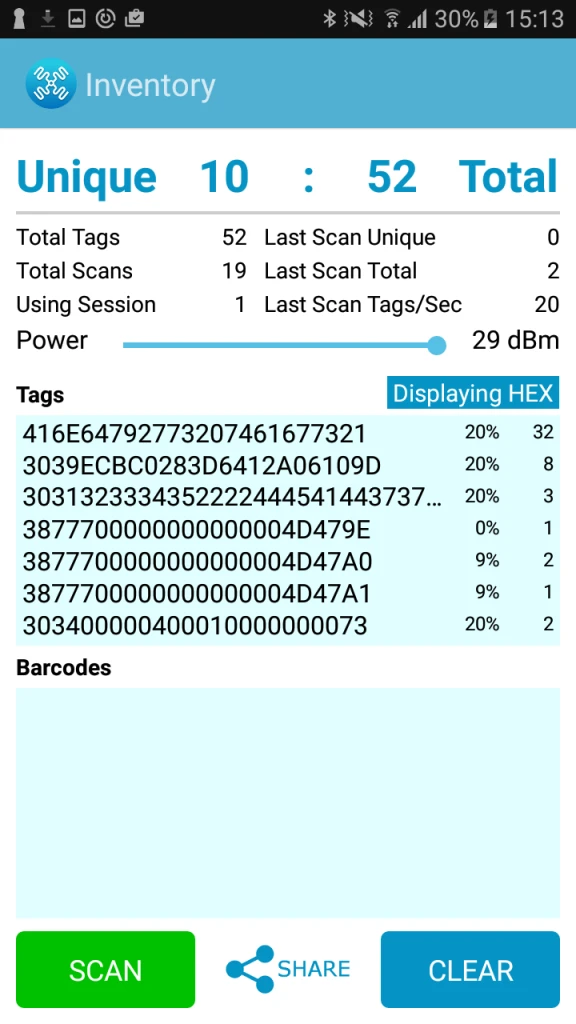
Android App Screenshot
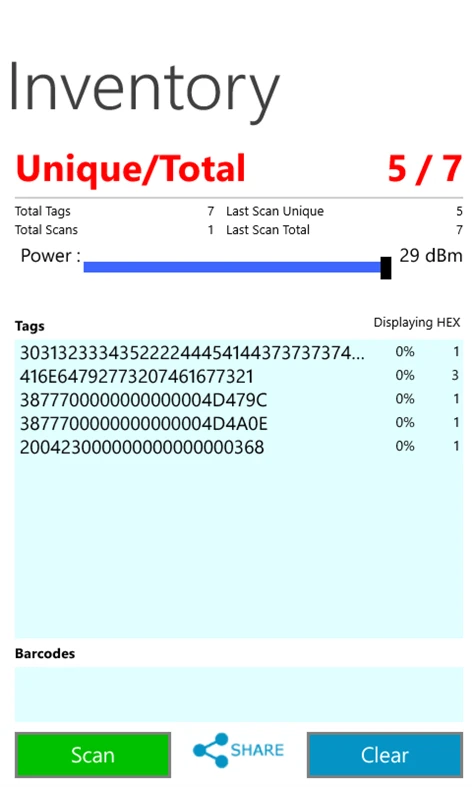
Windows App Screenshot
Overview
RFID Explorer is probably the best place to start if you want a broad look at what a TSL reader can do. It is built to demonstrate reader performance, functionality, and flexibility, while also giving developers a closer look at TSL’s ASCII Protocol.
This app is useful when you want to quickly test tag reads, check reader behavior, locate a tag, inspect tag memory, or experiment with read/write commands without building a custom app first.
Details
RFID Explorer includes several core functions that make it helpful for testing and troubleshooting.
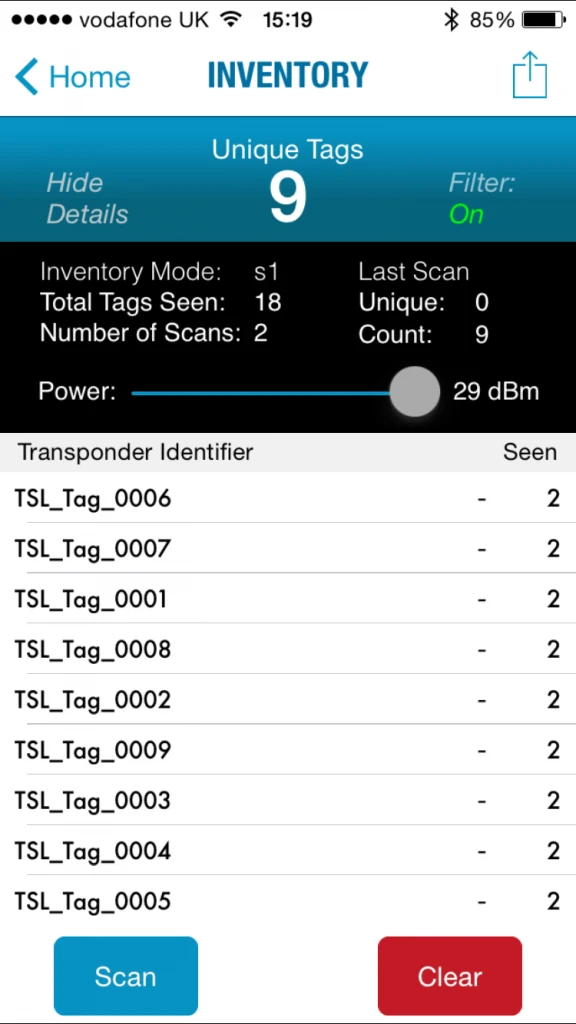
The Inventory feature lets you quickly generate a list of nearby unique RFID tags. This is useful when you are testing read zones, evaluating tag performance, or confirming whether a reader can capture the expected tag population.
The Find-a-tag feature helps locate a specific tag using visual signal strength indicators. This can be helpful in demos, asset tracking workflows, and basic location-based testing.
The Read/Write feature lets you inspect tag memory banks and write new data to a selected tag. This is especially useful for developers or integrators who need to understand tag memory behavior before building a more formal encoding or data capture workflow.
The Commands area provides a more technical view of what is happening between the app and the reader. You can view command details, query reader information like firmware and hardware versions, check battery level, review region information, and test barcode scanning when the reader has the appropriate 2D imager option.
Best Use Cases:
- Early RFID testing
- Reader demos
- Tag read/write testing
- Developer exploration
- Troubleshooting reader and tag behavior
- Proof-of-concept workflows
RFID Tag Finder
What It Does: RFID Tag Finder helps users locate a specific RFID-tagged item using visual and audio indicators.
Compatible TSL Readers: TSL lists RFID Tag Finder as compatible with the TSL 1166, 1128, 1153, 2128P, 2128L, 3166, and 3138 Bluetooth UHF RFID readers.
Availability: iOS and Android.
Cost: Free

iOS App Screenshot
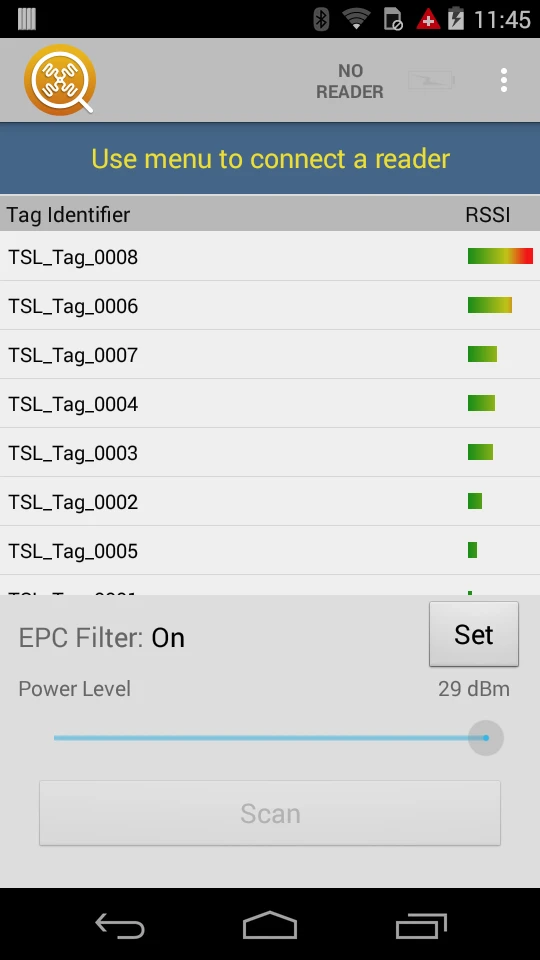
Android App Screenshot
Overview
RFID Tag Finder is built for one very practical job: helping you find a specific tagged asset. Instead of simply showing a list of nearby tags, the app gives the user visual and audio feedback to help guide them closer to the item they are looking for.
This is especially helpful in environments where assets are stored close together, moved often, or hard to visually identify.
Details
RFID Tag Finder is a good example of how RFID can be used for more than just inventory counting. Once you know the EPC or identifier of the item you need, the app helps narrow the search using signal feedback.
This can be useful in warehouses, stockrooms, IT asset rooms, tool cribs, healthcare storage areas, and anywhere else a tagged item might be physically present but difficult to spot.
For teams evaluating RFID, this app can also help demonstrate the difference between “knowing something is here” and actually being able to find it.
Best Use Cases:
- Finding a specific tagged asset
- Locating misplaced inventory
- Tool and equipment tracking
- IT asset searches
- Healthcare asset location
- RFID demos focused on item location
RFID Scan Scan Write
What It Does: RFID Scan Scan Write is designed to rapidly commission UHF RFID tags using existing barcode information.
Compatible TSL Readers: TSL lists related products for RFID Scan Scan Write including the 1153, 1128, 1166, 2128P, 3166, and 3138 readers.
Availability: iOS and Android.
Cost: Free
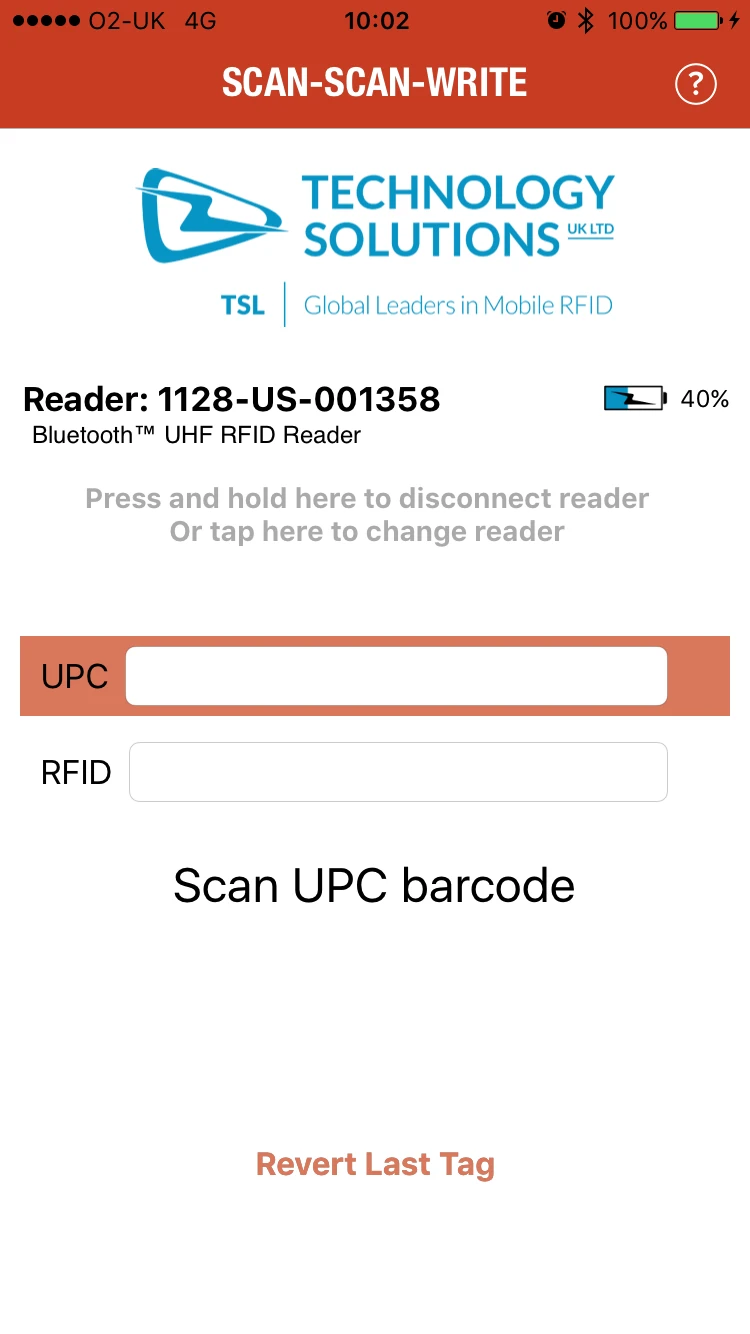
iOS App Screenshot
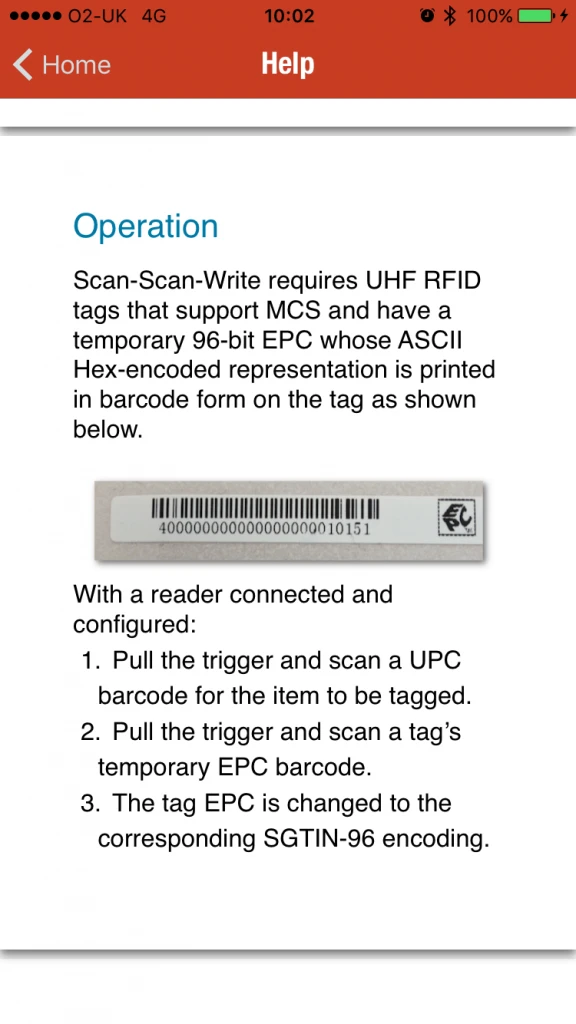
iOS App Screenshot
Overview
RFID Scan Scan Write is built around a simple tag encoding workflow: scan the product’s GS1 barcode, place a UHF RFID tag close to the reader, pull the trigger, and write the new EPC to the tag. The app can also optionally lock the tag after writing.
This makes it especially helpful when you need to create RFID tags from existing barcode data.
Details
RFID Scan Scan Write is a practical tool for teams that are moving from barcode-only identification to RFID. Instead of manually typing or managing EPC values, the app uses scanned barcode information as the starting point for encoding RFID tags.
The app supports industry-standard and custom EPCs. It can also work with Multi-Vendor Chip Serialization compliant tags to create uniquely serialized SGTIN-96 tags without manually managing serial number ranges. For organizations that already have a manual serialization process, the app also supports user serialization.
In addition to GS1-compliant EPCs, the app can use scanned Hex or ASCII data for custom EPC encoding.
Best Use Cases:
- RFID tag commissioning
- Barcode-to-RFID workflows
- SGTIN-96 encoding
- Custom EPC encoding
- Product tagging
- Pilot programs where tags need to be created quickly
RFID Sensor Tag Explorer
What It Does: RFID Sensor Tag Explorer demonstrates how TSL RFID readers can remotely sample and log environmental sensor data from passive UHF sensor tags.
Compatible TSL Readers: TSL states that all TSL UHF RFID readers can remotely read sensor data from Asygn tags, as well as humidity readings from Axzon Magnus tags. Series 3 readers, including the 3138 and 3166, can additionally read temperature data from Axzon Magnus S3-based chips.
Availability: Android via Google Play.
Cost: Free
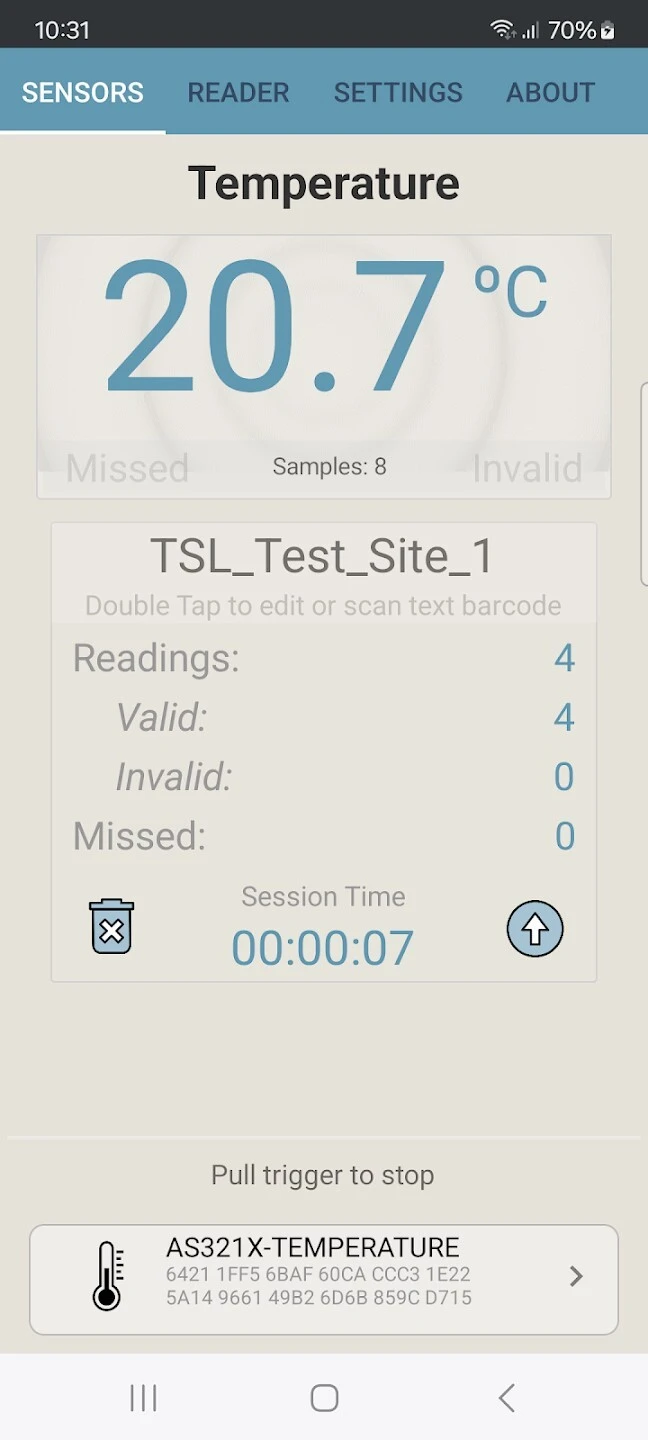
Android App Screenshot
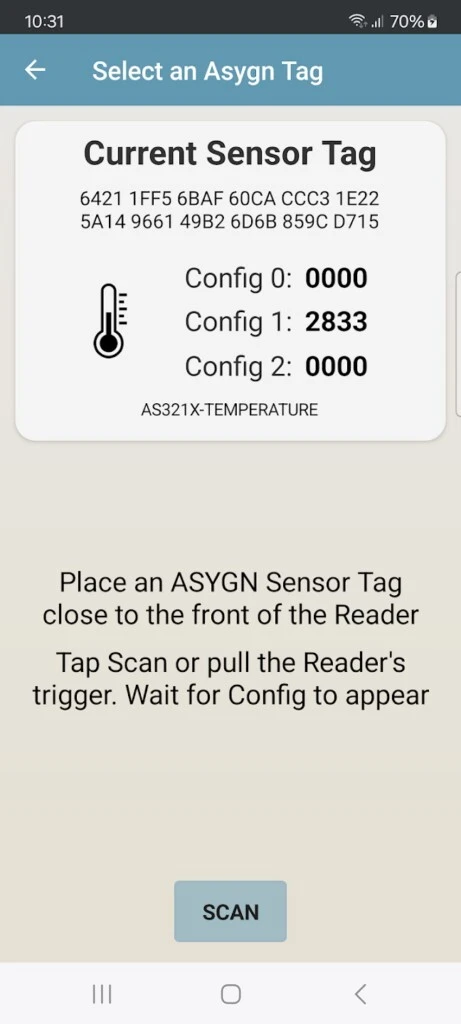
Android App Screenshot
Overview
RFID Sensor Tag Explorer is for applications where the RFID tag is doing more than identifying an item. Passive sensor tags can measure conditions like temperature, strain, pressure, humidity, and motion without needing a battery.
That makes this app useful for testing RFID sensor tags in environments where wired sensors, battery-powered sensors, or manual checks may not be ideal.
Details
The app showcases how TSL readers can collect environmental data from compatible UHF sensor tags. This can be especially valuable when assets are hard to access, located in challenging environments, or moving during operation.
For example, sensor tags may be used to monitor temperature-sensitive items, detect motion, measure strain, or gather condition-based data from equipment. Since passive RFID sensor tags are battery-free, they can be placed in areas where traditional sensor maintenance would be difficult.
RFID Sensor Tag Explorer is most useful for teams evaluating whether passive sensor tags could support a maintenance, quality control, compliance, or monitoring workflow.
Best Use Cases:
- Passive RFID sensor testing
- Temperature monitoring
- Humidity or pressure monitoring
- Strain or motion sensing
- Maintenance and inspection workflows
- Environmental data logging
RFID Web Wedge
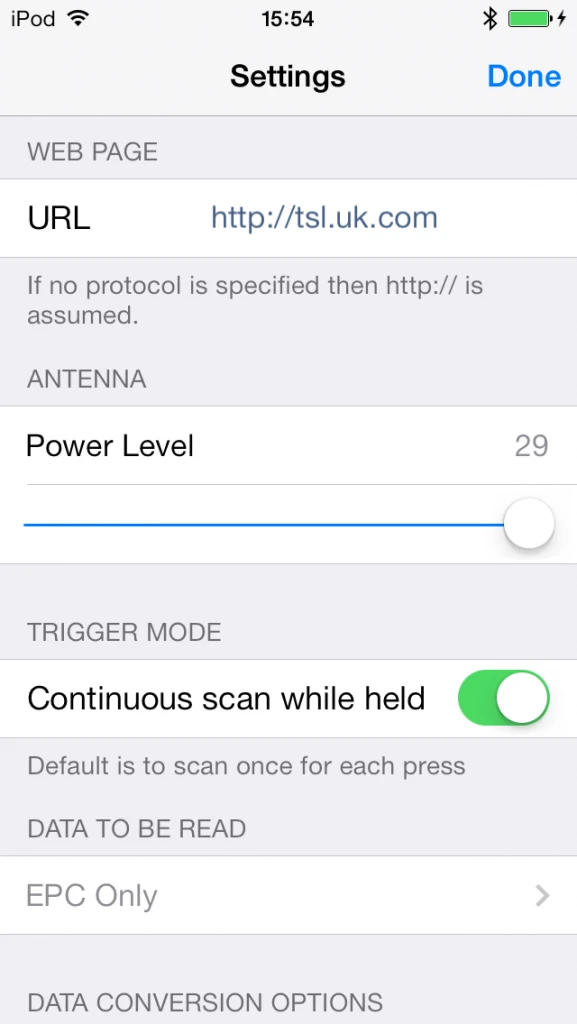
What It Does: RFID Web Wedge allows users to input RFID tag data from TSL Bluetooth UHF RFID readers directly into existing web applications.
Compatible TSL Readers: TSL lists RFID Web Wedge as compatible with the TSL 1166, 1128, 1153, 2128P, 2128L, 3138, and 3166 Bluetooth UHF RFID readers.
Availability: iOS via the App Store.
Cost: Free
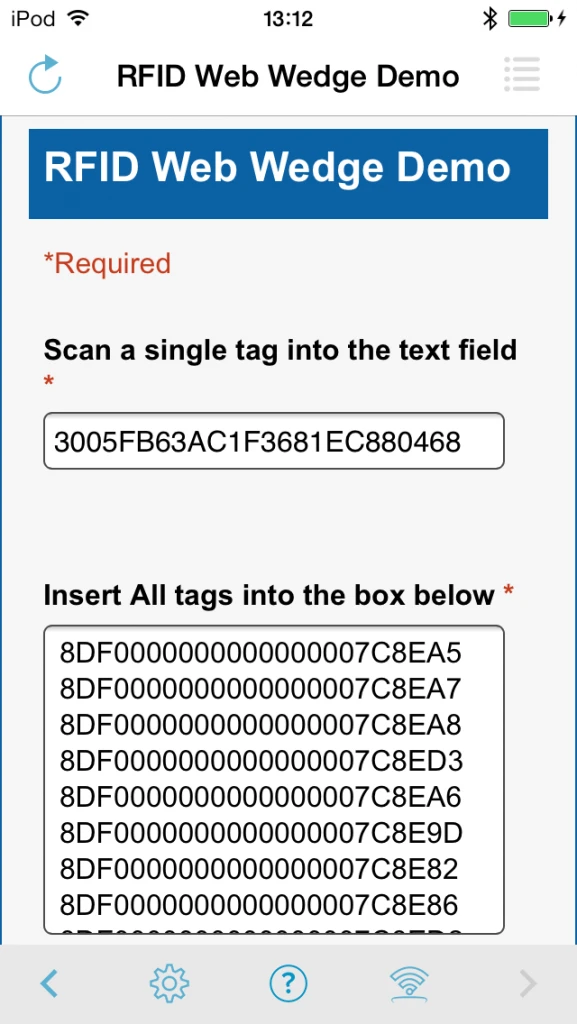
iOS App Screenshot
iOS App Screenshot
Overview
RFID Web Wedge is a helpful bridge between RFID hardware and web-based workflows. Instead of building a custom RFID application right away, users can scan RFID tags and populate text input fields inside a web-based form.
This can be useful when a team already has a browser-based system and wants to test RFID input without a larger software development project.
Details
RFID Web Wedge supports one-handed trigger operation and can populate web form fields using custom data and identifiers from UHF RFID transponders.
The app supports both single-tag and continuous scanning. Single Shot mode is useful when the user needs to capture data from one specific tag into a field. Continuous Scan mode is better when the user needs to scan a larger tag population and insert the captured data with a single tap.
The app also allows users to adjust reader power, capture EPC identifiers or user-defined tag data, convert incoming data into ASCII text format, and automatically load a custom URL as the start page.
Best Use Cases:
- Adding RFID input to web forms
- Testing RFID with existing browser-based systems
- Simple data capture workflows
- Proof-of-concept projects
- Workflows where custom development is not yet approved
- Single-tag or batch data entry
TSL Reader Configuration
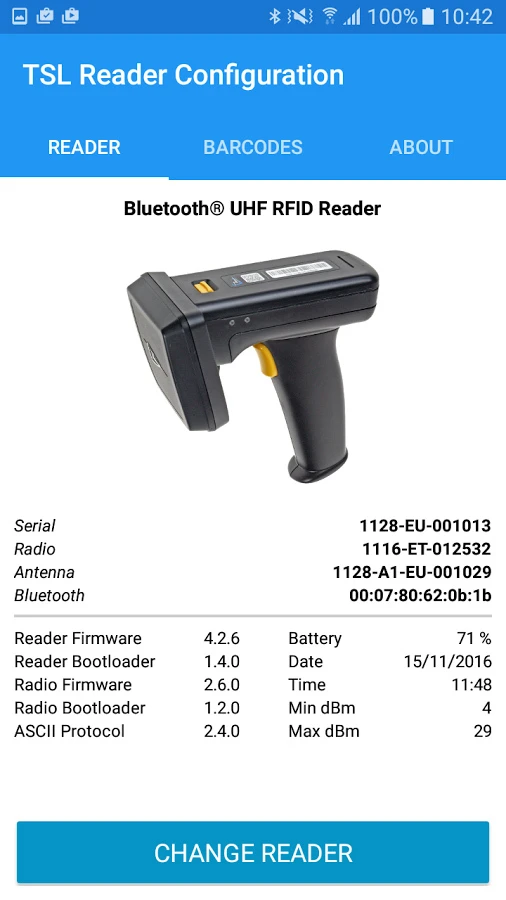
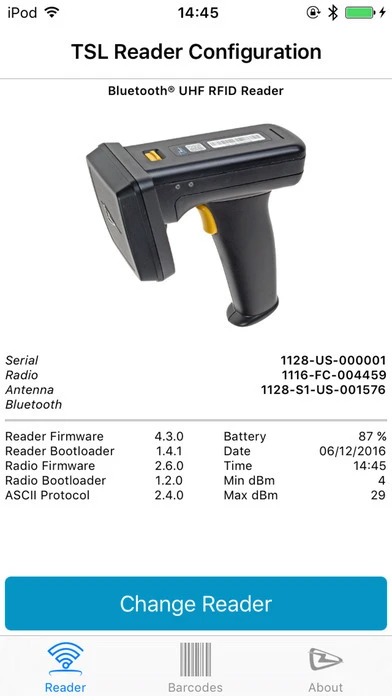
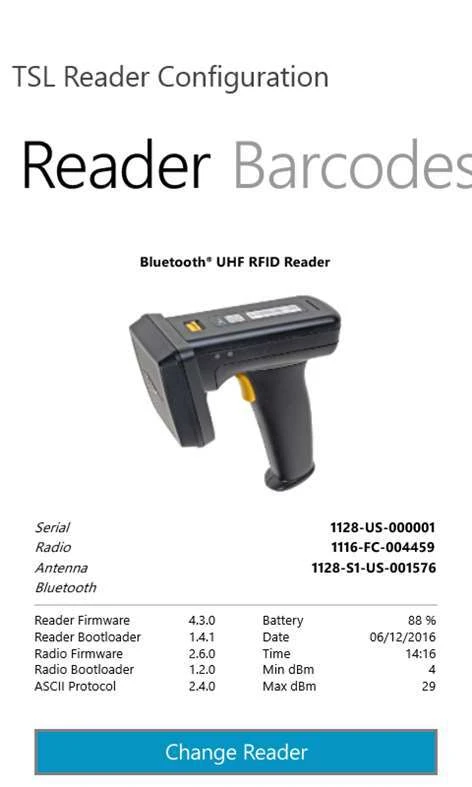
What It Does: TSL Reader Configuration is a utility app used to configure the barcode scan engine within compatible TSL readers, when that barcode scan engine is present.
Compatible TSL Readers: TSL lists the app as compatible with the TSL 1166, 1128, 1153, 2128P, 2128L, 3138, and 3166 readers.
Availability: iOS, Android, and Windows.
Cost: Free
Android App Screenshot
iOS App Screenshot
Windows App Screenshot
Overview
TSL Reader Configuration is not an RFID workflow app in the same way that RFID Explorer or RFID Tag Finder is. Instead, it is a setup utility for configuring barcode scanning behavior on compatible TSL readers.
If your TSL reader includes a barcode scan engine, this app provides an easier way to enable, disable, and adjust barcode symbology settings.
Details
Many RFID workflows still involve barcode scanning. A user may need to scan a barcode label before writing an RFID tag, verify a barcode during receiving, or support mixed barcode and RFID processes during a transition period.
TSL Reader Configuration helps teams adjust barcode scanning parameters without needing to dig into a more complicated setup process. This can be useful for integrators, technical teams, and end users who need to make sure the reader is properly configured for the barcode types used in their operation.
TSL also notes that its apps are free to download and ad-free.
Best Use Cases:
- Configuring barcode scan settings
- Enabling or disabling barcode symbologies
- Supporting mixed barcode and RFID workflows
- Reader setup before deployment
- Troubleshooting barcode scan behavior
RFID Inventory
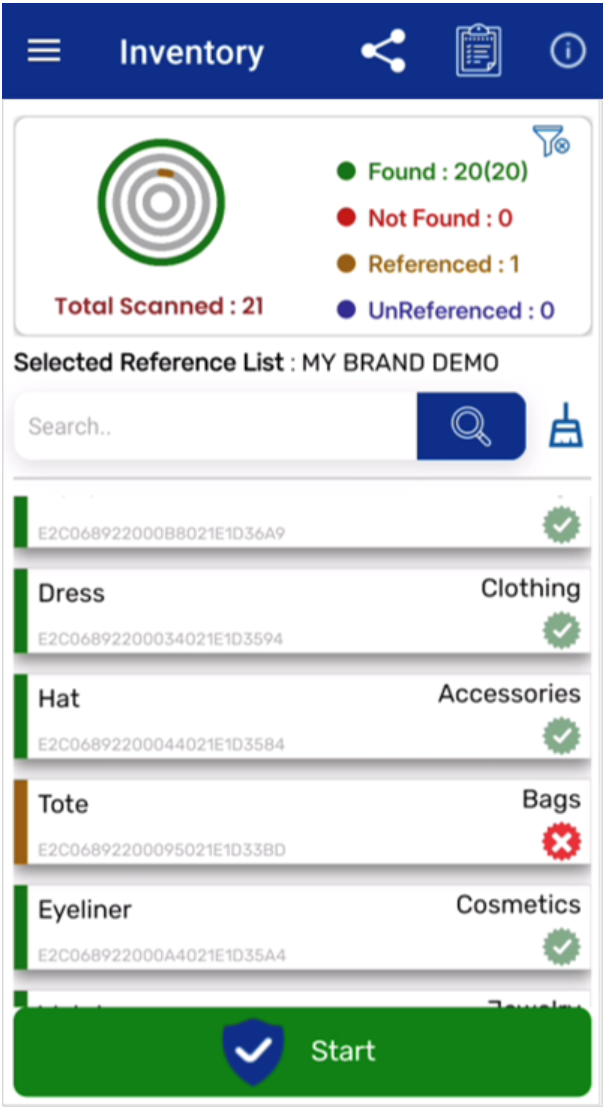
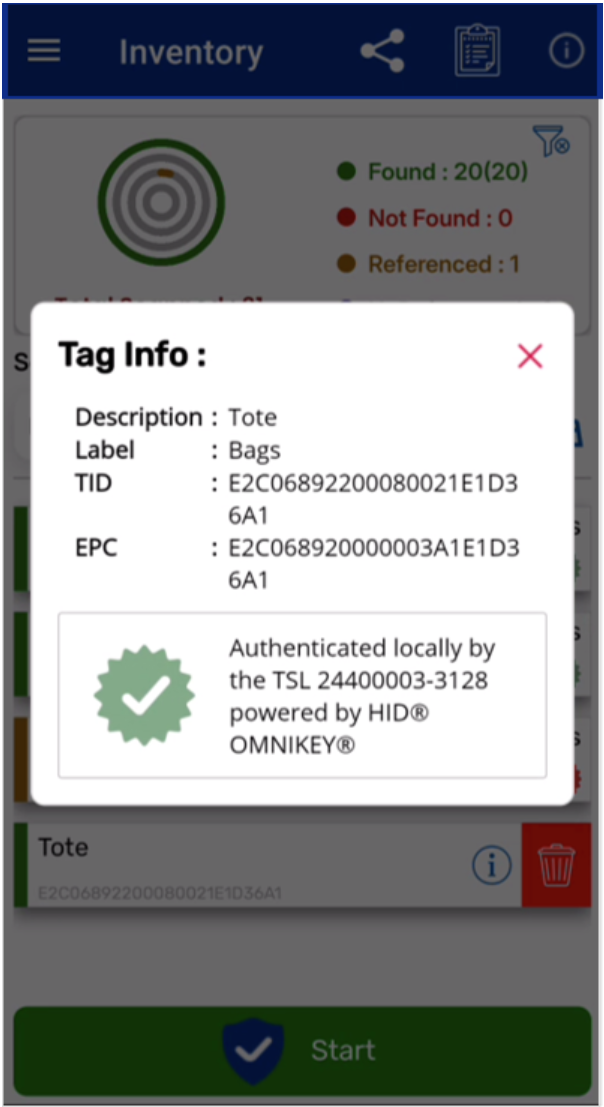
What It Does: RFID Inventory enables inventory checks against reference lists of items using TSL high-performance UHF RFID readers. It also includes an authenticity feature that can authenticate items and add an authentication flag to the scanned inventory results.
Compatible TSL Readers: TSL lists related products for RFID Inventory including the 3166, 3138, 2128P, 2128L, 1166, 1153, and 1128 readers.
Availability: Coming very soon.
Cost: Free
Overview
RFID Inventory is designed for checking physical inventory against a reference list. Instead of simply scanning tags and exporting a list, the app supports a more structured inventory process where users can compare what they scanned against what they expected to find.
It also includes an authentication option, which can help identify whether scanned items are authentic or potentially counterfeit.
Details
RFID Inventory is useful for more workflow-focused users who want to move beyond basic tag reads. The app supports inventory checks against multiple reference lists, quick pairing with TSL readers through QR code or NFC tap-to-pair, and a stored list of paired readers.
One of the more interesting features is support for the TSL 3138 reader’s Local Authentication mode. TSL states this can provide fast processing without relying on networks, web services, or related fees.
This makes RFID Inventory especially interesting for retail, brand protection, high-value goods, field inventory, and other workflows where simply counting items is not enough.
Best Use Cases:
- Inventory checks against known item lists
- Retail or stockroom inventory
- Field inventory workflows
- Authentication and anti-counterfeit workflows
- High-value asset verification
- Offline or local authentication testing
Final Thoughts: TSL Apps Are Starting Points, Not the Whole RFID System
The TSL demo app family gives users a practical way to explore what TSL readers can do before investing in a fully customized RFID workflow. For developers, these apps can help clarify how reader commands, tag reads, tag writes, and data capture behave in the real world. For integrators, they can support demos, pilots, and troubleshooting. For end users, they can make it easier to understand which reader features matter for a specific application.
The key is choosing the right app for the job.
If you are testing general RFID performance, start with RFID Explorer. If you are trying to locate a specific item, use RFID Tag Finder. If you need to encode tags from barcode data, look at RFID Scan Scan Write. If you are evaluating passive sensor tags, use RFID Sensor Tag Explorer. If you want RFID data to flow into a web form, try RFID Web Wedge. If you need to configure barcode scan behavior, use TSL Reader Configuration. And if you need structured inventory checks or authentication, keep an eye on RFID Inventory.
Need help choosing the right TSL reader or planning an RFID workflow? Atlas RFID can help you evaluate hardware, tags, software, and professional services so your system is built around how your operation actually works.