No account needed
GS1 Digital Link QR & SGTIN-96 Encoder
Sponsored by Avancir Print
Generate a GS1 Digital Link QR code, a retail barcode, and an SGTIN-96 RFID tag encoding from one GTIN and serial number — so all three carriers describe the same item instead of three near-misses.
Everything runs in your browser. Nothing you type is uploaded or stored. Paste an EPC or a Digital Link URL you already have and the tool works backwards, so you can prove a tag and a QR code really do agree.
A 24-character SGTIN-96 EPC hex value, or an urn:epc: URI. A GS1 Digital Link URL works too.
One product identity — GTIN 00614141123452, serial 100000001 — carried three ways. Load sample EPC above fills the box with the SGTIN-96 EPC so you can decode it.
Your product identity
One GTIN and serial number drive all three outputs, so the barcode, the QR code, and the RFID tag can't disagree.
Digits only for SGTIN-96, up to 274,877,906,943. Leave it blank for a GTIN-only Digital Link.
An AI is a GS1 Application Identifier — a two-digit code saying what the value after it means. AI 10 is a batch or lot number; AI 17 is an expiration date, written YYMMDD.
The domain used to build the web address for your Digital Link. Optional for the barcode and the RFID tag, but the QR code needs a domain to point at — leave it blank and there's no web address to encode. Use a domain you control that will answer these URLs; a shopper who scans one that doesn't resolve gets a dead page.
Filter 1 covers a single retail item — one sellable unit rather than a case or a pallet.
Generated output
SVG stays sharp at any label size — use it for artwork and thermal printer software. PNG exports at 3× for slides and packaging comps.
SGTIN-96 RFID tag encoding
Copy the 24-character hex into your RFID printer or encoder, encode a tag, then read it back and confirm it matches.
| Field | Bits | Value |
|---|
Decoded results
Read-only — this is what the value you pasted actually contains.
| Field | Bits | Value |
|---|
GS1 Sunrise 2027
What Sunrise 2027 means for you
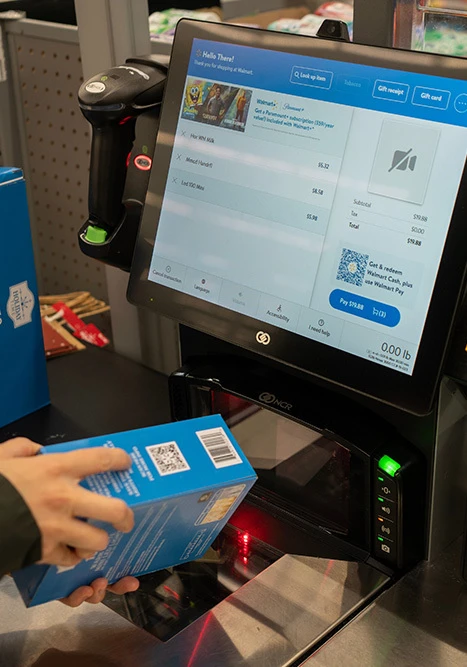
GS1's Sunrise 2027 initiative asks retail point-of-sale systems worldwide to be able to scan 2D barcodes — QR codes carrying GS1 Digital Link — at the checkout by the end of 2027, alongside the linear UPC and EAN barcodes they read today. For brand owners that means one thing in practice: the code on your pack stops being just a number and starts being a web address that also contains that number.
The transition is additive, not a switch-over. Your existing barcode keeps working. What changes is that a single QR code can carry the GTIN for the till, a serial number for traceability, and a link that opens your product page for the shopper — while the RFID tag inside the same item carries a matching serialised identity for inventory. The three only work together if they encode the same GTIN and serial, which is what the tool above is built to check.
What a brand owner has to do
- Confirm your GS1 company prefix and its digit length on your GS1 licence.
- Decide whether you're serialising items — a serial is required for RFID, optional in the QR.
- Stand up a resolver domain (for example
id.yourbrand.com) that answers Digital Link URLs. - Generate the Digital Link QR and place it on artwork alongside the existing barcode.
- Encode RFID tags with the SGTIN-96 EPC built from the same GTIN and serial.
- Scan-test all three carriers on a real product before the print run.
Anatomy of a GS1 Digital Link URL
A GS1 Digital Link is an ordinary HTTPS URL whose path is built from GS1 Application Identifiers (AIs). Each AI is a two-digit code that says what the value after it means. Read left to right, it's a sentence: on this domain, the product with this GTIN, batch, and serial number.
https://id.yourbrand.com/01/00614141123452/21/100000001?17=271231
└──────── resolver ────────┘└AI┘└── GTIN-14 ──┘└AI┘└ serial ┘ └AI┘└ date ┘
The Application Identifiers you'll use most
| AI | Meaning | Format | Where it goes |
|---|---|---|---|
| 01 | GTIN — the product identifier | 14 digits | First path segment. Always required. |
| 10 | Batch or lot number | Up to 20 characters | Path segment, before the serial. |
| 21 | Serial number — identifies one individual item | Up to 20 characters | Path segment, last of the qualifiers. |
| 17 | Expiry date | YYMMDD | Query parameter, not a path segment. |
Why the order matters
GS1 splits AIs into key qualifiers and data attributes. Key qualifiers — batch (10), then serial (21) — narrow down which thing you mean, so they sit in the path in that fixed order after /01/. Data attributes such as expiry date (17) describe the thing, so they belong in the query string. Reorder them and a strict resolver won't recognise the URL. The tool above always emits the canonical order for you.
What the resolver actually does
Generating the URL is the easy half. The resolver is the service sitting at your domain that decides what comes back when someone opens that URL — a product page for a shopper, a spec sheet for a technician, a recall notice, or a machine-readable response for another system. The GTIN in the path scans at the till whether or not the domain resolves, but a shopper who scans a domain that answers nothing gets a dead page. Point the resolver domain at something you control before the code goes on artwork.
Carrier selection
What goes where: barcode, QR, and RFID tag
The same product can carry three codes, and each holds a different amount of the story. This is the most common source of confusion — and of mismatched data.
Linear
Barcode — UPC, EAN, ITF-14
The GTIN and nothing else. Every point-of-sale scanner in service today reads it, which is exactly why it isn't going away.
- Holds
- GTIN only
- Read by
- Every POS scanner today
- Typical use
- Price lookup at the checkout, case labels
2D
Digital Link QR
A URL that contains the GTIN, plus batch, serial, and expiry if you need them. One symbol serves the till and the shopper's phone.
- Holds
- GTIN plus optional batch, serial, expiry — as a URL
- Read by
- 2D-capable POS, and any phone camera
- Typical use
- Checkout, product info, recalls, authenticity
RFID
RFID tag — SGTIN-96
A serialised identity in 96 bits of EPC memory. No URL, no line of sight, and hundreds of items readable at once.
- Holds
- GTIN plus a numeric serial, 96 bits, no URL
- Read by
- UHF RFID readers — no line of sight needed
- Typical use
- Inventory counts, loss prevention, shipping
The rule of thumb: the barcode says what the product is, the RFID tag says which one it is, and the Digital Link QR can say both — and take a shopper somewhere useful.
Step by step
How to generate your codes
A Digital Link QR code
- Enter your GTIN in step 1. Any valid length works — we pad it to GTIN-14 and verify the check digit.
- Add a serial number if you're serialising items, plus batch or expiry if you need them.
- Set the resolver domain to a domain you control that will answer these URLs.
- Check the assembled URL under the QR code.
- Download SVG for artwork, or PNG for a quick test print.
An SGTIN-96 RFID tag
- Keep the same GTIN and serial — the whole point is that all three carriers agree.
- Set your company prefix length from your GS1 licence certificate. It decides the partition value.
- Pick a filter value — for a single retail item that's 1, point of sale item.
- Copy the 24-character EPC hex into your RFID printer or encoder software.
- Encode a tag, read it back, and confirm the hex matches.
Decoding what you already have
- Switch the tool to Decode.
- Paste an EPC hex value, a
urn:epc:URI, or a Digital Link URL. - The GTIN, serial, filter, and prefix length fill in automatically.
- All three outputs rebuild from what was decoded, so you can confirm a tag and a QR describe the same item.
Understanding SGTIN-96
SGTIN stands for Serialised Global Trade Item Number: a GTIN plus a serial number. The 96 is how many bits it occupies in an RFID tag's EPC memory bank — the standard tag size, and the reason SGTIN-96 is the most widely used EPC encoding in retail.
The bit layout
Those 96 bits divide into six fields: an 8-bit header (always 0x30, meaning SGTIN-96), a 3-bit filter value, a 3-bit partition, the company prefix, the item reference, and a 38-bit serial. The tool shows the exact split for your input.
Company prefix length and the partition value
The company prefix and item reference share a fixed 44 bits, but the boundary between them moves depending on how long your GS1 company prefix is. The partition value records where that boundary sits, so a reader can split the number back apart.
| Partition | Company prefix | Item reference (incl. indicator digit) |
|---|---|---|
| 0 | 12 digits / 40 bits | 1 digit / 4 bits |
| 1 | 11 digits / 37 bits | 2 digits / 7 bits |
| 2 | 10 digits / 34 bits | 3 digits / 10 bits |
| 3 | 9 digits / 30 bits | 4 digits / 14 bits |
| 4 | 8 digits / 27 bits | 5 digits / 17 bits |
| 5 | 7 digits / 24 bits | 6 digits / 20 bits |
| 6 | 6 digits / 20 bits | 7 digits / 24 bits |
Filter values
The filter isn't part of the product's identity — it's a hint that lets a reader ignore tags it doesn't care about. 1 means a point-of-sale item, 2 a full case, 4 an inner pack, 6 a unit load such as a pallet. When in doubt for a single retail item, use 1.
Serial number limits
The 38-bit serial field holds a whole number from 0 to 274,877,906,943. It can't store letters, and it can't preserve leading zeros — 000123 comes back as 123. If your serials contain letters or must keep leading zeros, you need SGTIN-198, which stores an alphanumeric serial in 198 bits and requires tags with a larger EPC memory bank.
GS1 identification & encoding schemes · RFID tag printing & encoding
Common mistakes
- Getting the check digit wrong. The last digit of a GTIN is calculated from the ones before it. Typing it from memory is the most common error we see — leave it off and the tool calculates it for you.
- A serial that's too long or not numeric. SGTIN-96 caps the serial at 274,877,906,943, digits only. A QR code will happily carry
A-1042/B; the 96-bit tag won't. Decide your serial scheme with the tag's limit in mind, not the QR's. - Guessing the company prefix length. Change the prefix length and the same GTIN produces a completely different EPC — your tags read as the wrong product. Check the licence certificate rather than inferring it from the digits.
- A Digital Link domain that doesn't resolve. The QR still scans at the till, because the GTIN is inside the URL. But a shopper who scans it gets a dead page. Point the domain at a working resolver before the codes go on packaging.
- Reordering the AIs in the URL.
/01/…/21/…/10/…looks reasonable but isn't canonical — batch (10) comes before serial (21), and expiry (17) belongs in the query string. - Skipping the scan test. Artwork that validates on screen can still fail on press. Print a sample, encode a tag, and read both at the real distance and angle before the production run.
Print · Label · Encode
Printing and encoding at scale
Generating one code is the easy part. Producing thousands of serialised labels — each with a unique Digital Link QR and a matching encoded RFID inlay — is a production problem, not a design problem. Avancir Print handles serialised print-and-encode runs so your QR codes, barcodes, and tags leave the press already agreeing with each other.
- Serialised runs: unique GTIN and serial pairs across a full production batch.
- Print and encode in one pass: the label prints and the inlay encodes together, then gets verified.
- Verified output: tags read back and codes scan-tested before they ship.

GS1 & serialisation resource center
Where to go next, whether you're planning for Sunrise 2027, choosing an encoding scheme, or specifying the hardware that prints and reads it.
Articles
GS1 identification & encoding
The 12 GS1 identification schemes and what each is used for.
Learn moreRFID vs. barcodes
How the two technologies differ, and when each one is the right tool.
Learn moreBarcode types & symbologies
Specialty barcodes, symbologies, and parsing capabilities.
Learn moreBarcode & QR code generator
Our free generator for standard barcodes and plain QR codes.
Open the toolShop the hardware
RFID printers & encoders
Printers that print the label and encode the inlay in one pass.
Shop printersRFID tags & labels
Inlays and smart labels matched to your product, surface, and read range.
Shop tags2D barcode scanners
Imagers that read QR and Digital Link codes as well as linear barcodes.
Shop scannersProfessional services
Configuration, encoding, and on-site support from RFID specialists.
Learn morePlanning for Sunrise 2027?
Getting the encoding right is step one. Choosing the tags, printers, and readers that carry it — and proving the whole chain reads before you commit to a print run — is where most projects stall. Our specialists do this every day.
- The right encoding: SGTIN-96 or SGTIN-198, matched to your serial scheme and tag memory.
- The right tags: inlays and labels chosen for your product, packaging, and read environment.
- The right hardware: RFID printers, encoders, and 2D scanners sized to your volume.