

Key Features
- Type: Wax/Resin Hybrid Thermal Transfer Ribbon
- Size: 110 mm x 450 m (4.33" x 1476')
- Resistance: Superior smear, scratch, and chemical resistance


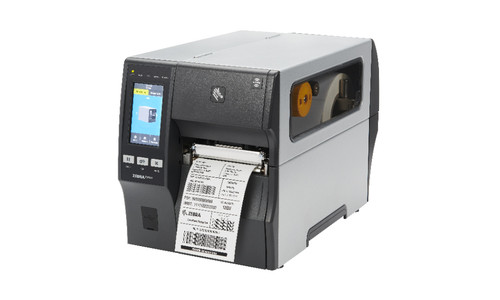

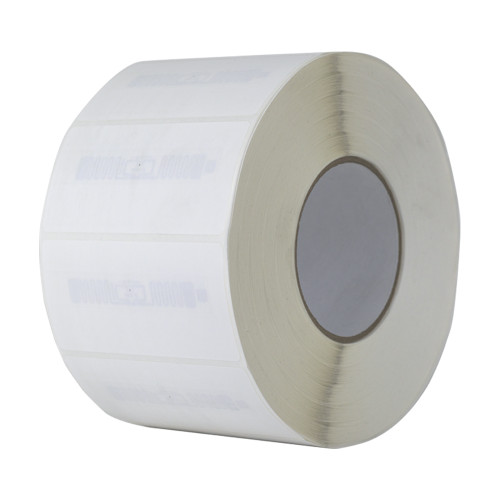
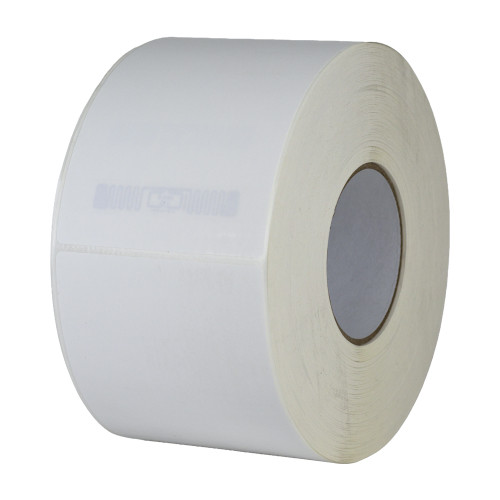


Avancir Print is a desktop barcode and RFID label printing software solution designed to simplify label creation, variable data printing, and production workflows. Create print-accurate barcode labels, RFID labels, QR code labels, shipping labels, asset tags, and product labels using an intuitive visual designer with support for text, barcodes, QR codes, images, lines, boxes, and ellipses. Save custom label templates, start with reusable presets, or import existing ZPL label designs to accelerate deployment and maintain consistent labeling across your operation.
Streamline variable data printing by importing Excel or CSV files and mapping spreadsheet columns to dynamic label fields. Validate and transform text, number, and date fields, preview labels before printing, and print individual labels or high-volume batches with row selection and copy controls. Built-in print queue management includes job progress monitoring, pause and resume functionality, and failed-label reprinting to help reduce downtime and improve efficiency.
Avancir Print is licensed per workstation, allowing each licensed computer to connect to unlimited compatible printers. Optional RFID and GS1 encoding capabilities are available for businesses that require RFID tag programming and standards-compliant label printing, making Avancir Print an ideal solution for manufacturing, warehousing, logistics, retail, healthcare, and asset tracking applications.
Avancir Print Support: Standard support is included with your Avancir Print subscription and covers product questions and troubleshooting that can be addressed through support tickets or available documentation. Our team can help clarify features, workflows, and common setup questions related to using the application.
Note: Avancir print subscriptions are valid for one year and will automatically renew unless canceled prior to the renewal date. Contact us for details.
View Data SheetAvancir Print simplifies common barcode and RFID label printing workflows by bringing label design, spreadsheet data, and printing tools into one desktop application. Built by RFID and barcode experts, Avancir Print focuses on the capabilities customers need to create labels, connect Excel or CSV data, and manage single or batch print job. Licensing is based on workstation quantity, with unlimited compatible printers included. When RFID tag encoding is required, RFID capabilities can be added to the core Avancir Print application.
Label Design
Templates & Presets
Dynamic Data & Fields
Printing
Printer Setup & Management
Job History & Audit Trail
RFID and GS1 Capabilities (RFID-Enabled Configurations Only)
Note: RFID & GS1 capabilities are included only with the RFID-enabled configuration.
Avancir Print is compatible with select printers from leading brands. Browse the supported device list below to check compatibility.
Desktop Barcode Label Printers
Industrial Barcode Label Printers
RFID Printers
Can't find your printer? Contact us and we’ll help determine compatibility with Avancir Print.
Avancir Print is designed to support a range of operating systems, providing flexibility for businesses using different desktop and workstation environments. Current system compatibility includes:
This broad operating system compatibility makes Avancir Print a flexible solution for designing and printing barcode and RFID labels across a variety of business environments. macOS support is currently in development and will be available in a future release.
At Atlas RFID, we offer a full range of professional services to help configure compatible printers and software for your label printing workflow.
The Printer Setup and Software Configuration Service is available as an optional add-on to any Avancir Print license and helps reduce setup time ensuring your Avancir Print Subscription is ready for use.
It provides remote assistance with printer and Avancir Print setup based on your intended printing workflow. For RFID workflows, configuration assistance can also support compatible printer and RFID media setup.
Note: This service is available for printers that are compatible with Avancir Print only. If your printer is not listed as compatible, please contact us to determine whether setup assistance is available for your device.
| Product Type: | Software |
|---|---|
| Software Type: | Desktop Label Design and Printing Application Software |
| Subscription Duration: | 1 Year Recurring Subscription |
| License Type: | Workstation-Based |
| Printer Access: | Unlimited Compatible Printers |
| Data Sources: | Excel and CSV |
| Barcode Printing: | Yes |
| QR Code Printing: | Yes |
| RFID Encoding: | Optional RFID Capabilities Add-On |
| Supported RFID Type: | UHF RFID |
| Printer Compatibility: | See Printer Compatibility Section or Contact Us |